
Two programs, one workflow
OpenSeesPy is the Python interface to OpenSees, the open-source structural analysis engine developed at UC Berkeley. vfopro does not replace it and does not contain its own solver. vfopro is the pre- and post-processor around it.
| You | Define the structure, the loads and the load cases, and decide what the results mean. |
| vfopro | Lets you build and edit the model, checks it, writes it out as an OpenSeesPy script, starts the analysis, and reads the results back to draw deformed shapes, hinge status, drift charts and reports. |
| OpenSeesPy | Assembles the equations, solves every load case, and writes the raw results to files. |
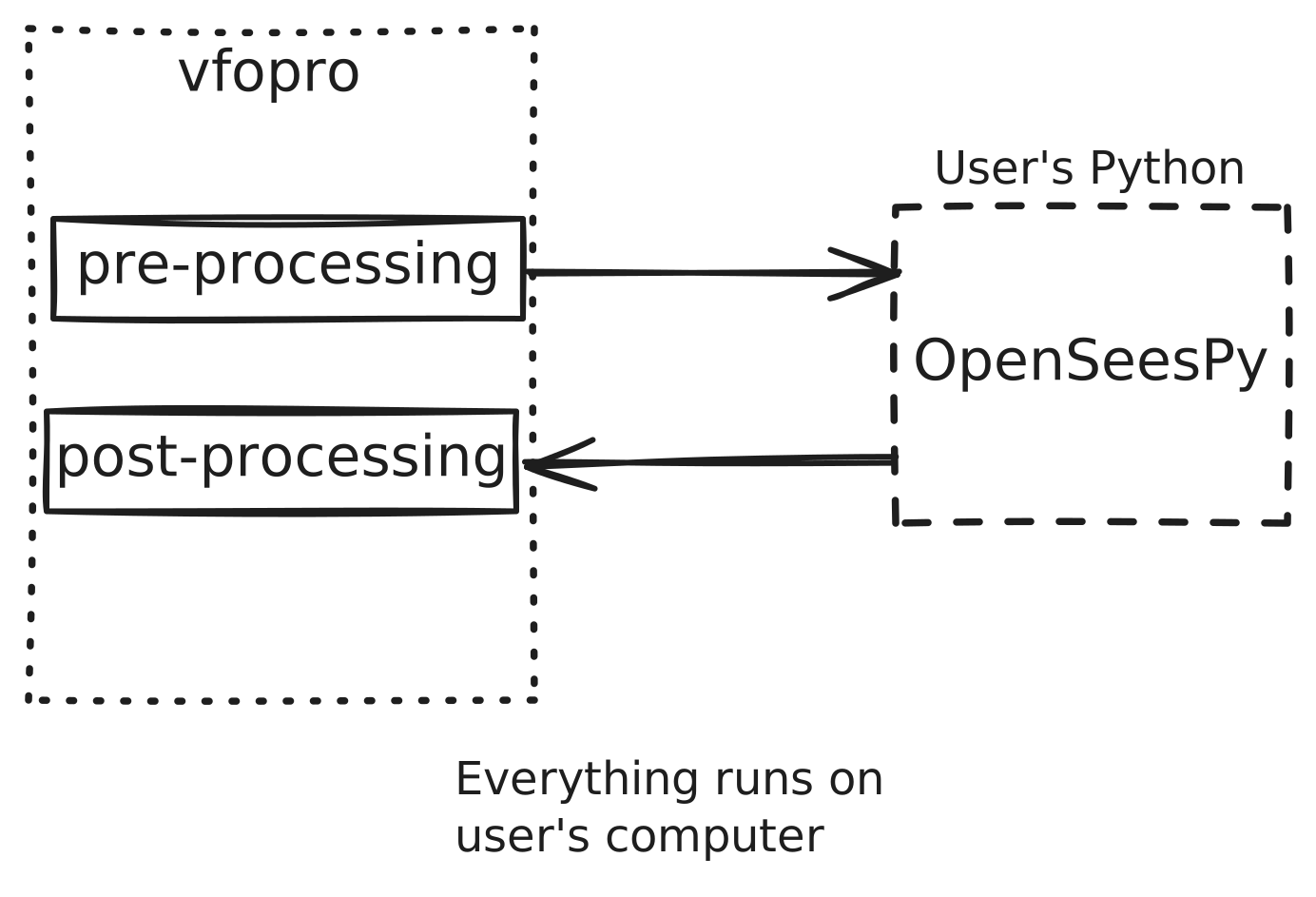
The analysis uses the Python environment you set up in the Installation guide. Your model is not sent anywhere to be analysed.
What happens when you click Run Analysis
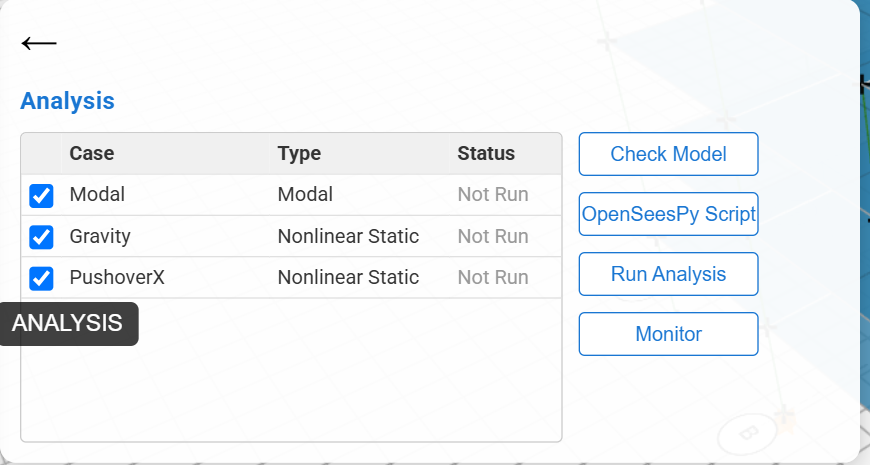
Open the Analysis panel. It lists your load cases with a checkbox and a status. Tick the ones you want, then click Run Analysis.
-
vfopro checks the model. It runs Check Model for you. If it finds errors, it asks whether to continue. See Model Checks.
-
vfopro writes the script. Your model becomes a plain Python file next to your saved model, named after it (for example
SteelMRF_4x2_ospy.py). -
vfopro starts Python. It uses the environment chosen in Settings › Python and runs the script in your model’s folder.
-
OpenSeesPy solves each load case. The Status column changes from Not Run to Running to Complete (or Failed), and Monitor opens the convergence chart for each case.
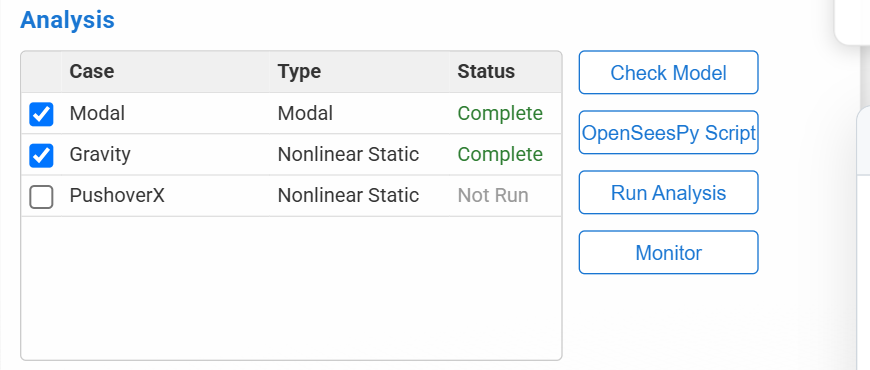
Two cases ticked and run; the third was left unticked. -
Results are saved. OpenSeesPy writes them as text files into a results folder beside your model, one subfolder per load case.
-
Post Processing reads them. When you open Post Processing, vfopro reads those files and draws what you asked for.
Untick cases you do not need. The Modal and Gravity cases of the reference model above took about a minute; a long pushover takes longer.
Units in the script and results
Whatever unit system your project uses, the script and the result files are always in kip, inch and second. The first lines of every script say so. vfopro converts your model into these units before it writes the script. When you read the files yourself, remember they are in kip and inches.
Where your files are
Save your model first: analysis needs a folder to write into. For a model saved as MyModel.vfodb you will find:
MyModel.vfodb | Your model. |
MyModel_ospy.py | The OpenSeesPy script vfopro wrote for the last run. Rewritten every time you run or generate. |
MyModel_ODB\ | The results folder. One subfolder per load case, plus the mode shapes and a list of nodes. |
How to open, read and run these yourself is on Reading and Running the OpenSeesPy Files.
Your responsibilities
- The solver does what the model tells it to. vfopro can catch a missing support or a broken reference, but it cannot tell whether your loads, section properties or hinge values are right for your building.
- A case marked Complete means the solver finished, not that the result is correct. Review the results against hand checks and engineering judgment.
- vfopro is a tool for a qualified engineer. The engineer of record remains responsible for the assessment.
Last updated September 21, 2026 · applies to vfopro 20260922.0.0 or later